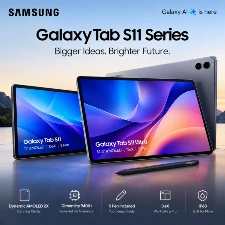
A few years ago, a premium tablet was mainly about watching videos, browsing the web, playing games, and occasionally taking notes. Today, that formula is no longer enough. People want tablets that can handle work, creativity, multitasking, entertainment, and even some laptop-style workflows.That is exactly where Samsung is positioning its new Galaxy Tab S11 Series.
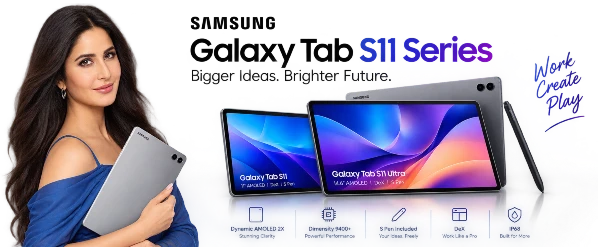
The lineup includes two models: the compact Galaxy Tab S11 with an 11-inch display and the much larger Galaxy Tab S11 Ultra with a 14.6-inch screen. Both combine AMOLED displays, 120Hz refresh rates, the MediaTek Dimensity 9400+ processor, S Pen support, Android 16, One UI 8, and IP68 durability.
But specifications alone do not explain why the Tab S11 series is interesting.
The real story is how Samsung is trying to turn a tablet into a portable workspace.
The Galaxy Tab S11 Series Is Really Two Different Ideas
Samsung has not simply made two tablets with different screen sizes.
The Galaxy Tab S11 and Tab S11 Ultra are aimed at slightly different types of users.
The standard Tab S11 has an 11-inch Dynamic AMOLED 2X display and weighs around 469g for the Wi-Fi version. It is considerably easier to carry around, making it more suitable for students, travellers, readers, note-takers, and people who want a powerful tablet without carrying a huge device.
The Tab S11 Ultra takes the opposite approach.
Its 14.6-inch display gives it a huge working area. Samsung has also managed to keep the body around 5.1mm thin, while the Wi-Fi model weighs approximately 692g.
So the basic choice is simple:
Tab S11 = portability
Tab S11 Ultra = maximum workspace
That difference becomes much more important once you start using Samsung’s multitasking and DeX features.
The Screen Is Still One of the Biggest Reasons to Buy It
Samsung has built a strong reputation around AMOLED displays, and the Tab S11 series continues that approach.
The Tab S11 features an 11-inch Dynamic AMOLED 2X panel with a 2560 × 1600 resolution. The Ultra increases the experience dramatically with its 14.6-inch 2960 × 1848 Dynamic AMOLED 2X display. Both support refresh rates up to 120Hz.
Samsung also lists peak brightness of up to 1,600 nits, with High Brightness Mode reaching 1,000 nits. The Ultra additionally benefits from an anti-reflection display treatment designed to improve visibility in bright environments.
This matters outside a specification sheet.
Imagine editing photographs beside a window.
reading documents in a bright office.
watching a movie while travelling.
using an S Pen to draw on the screen.
A good tablet display is something you interact with constantly, so improvements in brightness, refresh rate and reflections can affect the everyday experience more than a specification such as camera megapixels.
120Hz Makes Everything Feel More Natural
The 120Hz refresh rate is another important part of the experience.
Scrolling through websites feels smoother.
Menus move more fluidly.
Compatible games can feel more responsive.
S Pen interactions can also appear more natural because the screen refreshes more frequently.
It is one of those features that may not sound revolutionary on paper, but once you become accustomed to a high-refresh-rate display, switching back to a slower panel can feel noticeably different.
The Dimensity 9400+ Is the Engine Behind the Series
Samsung has chosen MediaTek’s Dimensity 9400+ as the processor for the Tab S11 family.
This is an interesting decision because Samsung is not using its own Exynos chip here.
The processor is designed for high-end Android performance, and Samsung is pairing it with substantial memory configurations.
The Tab S11 Ultra can be configured with up to 16GB RAM and 1TB storage, while the standard Tab S11 goes up to 12GB RAM and 512GB storage. Both models also support microSD expansion up to 2TB.
That storage flexibility is particularly interesting for creators.
A person working with:
- High-resolution photographs
- Large video files
- Design projects
- Offline movies
- Documents
- Games
- Music files
can quickly consume internal storage.
MicroSD support gives users another option instead of immediately paying for the highest internal-storage configuration.
This Is Where Samsung DeX Becomes Important
The biggest question for a tablet like this is not:
“Can it run apps?”
Of course it can.
The more interesting question is:
Can it replace part of your laptop workflow?
Samsung’s DeX experience is designed around that idea.
Instead of treating the tablet like a giant phone, DeX creates a more desktop-style environment. You can work with multiple applications and windows, making the larger Ultra display particularly interesting for productivity.
The 14.6-inch Ultra model provides enough physical space for a large multitasking setup.
For example, you could have:
Browser + Notes + Document
or
Video + Chat + Browser
or
Reference material + Drawing app + File manager
on the same screen.
That is where the Ultra starts behaving less like a traditional tablet and more like a portable workstation.
The S Pen Is Included
Samsung continues to include an S Pen with the Tab S11 series.
The new S Pen also receives a redesigned hexagonal shape.
One important change is that Samsung’s included S Pen does not support Bluetooth Low Energy features, meaning some previous remote-control style functions are not part of this generation.
But for the fundamental jobs people buy a stylus for, the concept remains the same.
You can use it for:
- Handwritten notes
- Sketching
- Marking documents
- Drawing
- Annotating PDFs
- Signing documents
- Creative applications
- Navigating the tablet
For students and professionals, this can make the tablet considerably more useful than a conventional touchscreen device.
AI Is Becoming Part of the Tablet Experience
One of the most noticeable changes in the Galaxy Tab S11 generation is the stronger focus on AI.
The series launches with Android 16 and One UI 8, with Samsung integrating AI-powered features into the software experience.
This direction is important because modern tablets are increasingly being positioned as productivity devices rather than oversized phones.
Samsung is also highlighting AI-related capabilities that can assist with tasks such as working with content and creative workflows.
The interesting part is not simply having an “AI” label.
The real value comes when AI reduces the number of steps needed to complete everyday tasks.
For example, instead of manually organising information, users increasingly expect software to help summarise, edit, search, organise or transform content.
That is the direction the Tab S11 software experience is moving toward.
A Tablet for Artists and Creators
Samsung is also pushing the Tab S11 series toward creative users.
The company highlights applications such as Noteshelf 3, ArcSite, Sketchbook and Picsart as part of the creative ecosystem around the device.
This makes the S11 series interesting for more than office workers.
A designer can use the S Pen for sketches.
An illustrator can work directly on the AMOLED screen.
A student can create handwritten diagrams.
An engineer or architect can use precision-oriented applications.
A social-media creator can edit images and videos.
The large Ultra display can be particularly useful when the project requires more workspace.
Battery: Bigger Doesn’t Always Mean Better
Battery capacity is another area where the two models separate themselves.
The Galaxy Tab S11 uses an 8,400mAh battery, while the Tab S11 Ultra packs an 11,600mAh battery. Both support 45W charging.
The Ultra’s larger battery makes sense because its display is also much larger.
Samsung lists up to 23 hours of video playback for the Ultra under specified test conditions. Actual battery life will naturally vary depending on brightness, connectivity, applications and usage patterns.
For heavy users, the combination of a large battery and efficient modern processor should make the tablet suitable for long working sessions.
The Design Is Surprisingly Thin
The Ultra’s 5.1mm thickness is one of the numbers that immediately stands out.
Samsung has managed to create an extremely thin large-format tablet while still including a large battery, AMOLED display and high-end processor.
The standard Tab S11 is also only around 5.5mm thick.
This makes the devices feel closer to premium notebooks or oversized digital canvases than traditional bulky tablets.
The Ultra is especially impressive from a visual-design perspective because its huge screen does not require a thick chassis.
IP68 Protection Adds Practical Value
Premium tablets are expensive pieces of technology.
That makes durability important.
Both Tab S11 models have an IP68 rating, providing resistance against dust and water under the conditions defined by the certification. Samsung also uses Armor Aluminum in the construction.
This does not mean the tablet should be treated like an underwater device.
But it does provide additional protection against everyday environmental exposure.
For students, travellers and people who regularly move between different locations, that can be useful.
Cameras Are Not the Main Story
The camera hardware is relatively straightforward.
The Galaxy Tab S11 has a 13MP rear camera and a 12MP ultra-wide front camera.
The Tab S11 Ultra adds an 8MP ultra-wide camera alongside its 13MP main rear camera, while retaining a 12MP ultra-wide front camera.
Samsung clearly isn’t positioning the S11 series primarily as a camera replacement.
The front ultra-wide camera makes more sense for video calls and situations where you need a wider field of view.
The rear camera is useful for scanning documents, taking quick reference photographs and capturing everyday images.
For most buyers, however, the display, S Pen, performance and software are likely to matter much more.
Connectivity Is Ready for Modern Networks
Connectivity also gets a premium treatment.
The Ultra supports Wi-Fi 7, while the standard Tab S11 supports Wi-Fi 6E in the configurations listed by Samsung. 5G versions are also available depending on market and model.
The Ultra also supports dual SIM configurations involving a physical SIM and eSIM in supported markets.
For people who work while travelling, cellular connectivity can be particularly useful.
You don’t always need to find a Wi-Fi network before opening your files, joining a meeting or responding to messages.
Galaxy Tab S11 vs Tab S11 Ultra
| Feature | Galaxy Tab S11 | Galaxy Tab S11 Ultra |
|---|---|---|
| Display | 11-inch Dynamic AMOLED 2X | 14.6-inch Dynamic AMOLED 2X |
| Refresh Rate | Up to 120Hz | Up to 120Hz |
| Resolution | 2560 × 1600 | 2960 × 1848 |
| Processor | Dimensity 9400+ | Dimensity 9400+ |
| Rear Camera | 13MP | 13MP + 8MP Ultra Wide |
| Front Camera | 12MP Ultra Wide | 12MP Ultra Wide |
| RAM | Up to 12GB | Up to 16GB |
| Storage | Up to 512GB | Up to 1TB |
| microSD | Up to 2TB | Up to 2TB |
| Battery | 8,400mAh | 11,600mAh |
| Charging | 45W | 45W |
| Weight | Around 469g Wi-Fi | Around 692g Wi-Fi |
| Thickness | 5.5mm | 5.1mm |
| S Pen | Included | Included |
| Protection | IP68 | IP68 |
Specifications based on Samsung’s published information; configurations can vary by market.
Who Should Consider the Galaxy Tab S11?
The standard Tab S11 makes sense for someone who wants premium hardware without moving into the enormous Ultra form factor.
fit naturally into a backpack.
easier to hold.
provides a 120Hz AMOLED display.
It has the same Dimensity 9400+ processor family.
It supports S Pen input.
And it retains microSD expansion.
For students, readers, professionals and casual creators, the 11-inch size can be a more convenient everyday format.
Who Is the Tab S11 Ultra Designed For?
The Ultra is a different proposition.
Its 14.6-inch display is the feature that defines the entire product.
If your priority is multitasking, drawing, editing, reading large documents, working with multiple windows or using DeX, the larger canvas becomes a major part of the experience.
It is also the model that makes the most sense if you want your tablet to behave as much like a laptop replacement as Android currently allows.
The trade-off is obvious: it is larger and heavier than the standard S11.
The Price Makes More Sense When You Look at the Accessories
Samsung lists launch prices of $799.99 for the Galaxy Tab S11 and $1,199.99 for the Galaxy Tab S11 Ultra in the US.
However, buyers should remember that accessories can change the total cost.
Samsung offers accessories including Book Cover Keyboard Slim, Book Cover, Frame Cover and an anti-reflecting screen protector.
If your intention is to use the tablet as a laptop-style workstation, a keyboard accessory becomes much more relevant.
That means the actual setup cost can be higher than the tablet’s headline price.
The Biggest Change Is Not the Hardware
The most interesting thing about the Galaxy Tab S11 series isn’t a single specification.
It is Samsung’s overall strategy.
The company is moving the Galaxy Tab further into the space between a traditional tablet and a laptop.
The combination tells the story:
Large AMOLED display
120Hz refresh rate
Dimensity 9400+
S Pen
DeX
AI features
microSD expansion
IP68 durability
Long battery capacity
Together, these features create a device that can handle several different roles.
Entertainment device in the evening.
Note-taking tool at university.
Portable workstation at a café.
Creative canvas at home.
Second screen for productivity.
Travel computer when carrying a laptop is inconvenient.
Final Thoughts
The Samsung Galaxy Tab S11 Series is less about reinventing the tablet and more about pushing the category toward a more flexible future.
The standard Tab S11 focuses on portability while still offering flagship-level hardware and a premium AMOLED experience.
The Tab S11 Ultra takes the concept much further with its enormous 14.6-inch display, extremely thin body, larger battery and expanded memory/storage options.
For DEVIXORA readers, the key takeaway is simple:
The Galaxy Tab S11 Series is not being designed merely as a bigger smartphone.
Samsung is building it around the idea that one device can combine entertainment, creativity, AI, handwriting, multitasking and desktop-style productivity.
And that makes the Tab S11 Ultra especially interesting for anyone who wants a tablet to do more than simply sit on a coffee table.
Quick Verdict by Use Case
| Your Main Use | Model to Look At |
|---|---|
| Everyday tablet | Galaxy Tab S11 |
| Students | Galaxy Tab S11 |
| Reading & browsing | Galaxy Tab S11 |
| Digital art | Both |
| Heavy multitasking | Galaxy Tab S11 Ultra |
| DeX productivity | Galaxy Tab S11 Ultra |
| Large documents | Galaxy Tab S11 Ultra |
| Travel | Galaxy Tab S11 |
| Maximum screen space | Galaxy Tab S11 Ultra |
| High-end Android tablet experience | Both |
The choice ultimately comes down to one question:
Do you want a powerful tablet that is easy to carry, or a giant portable workspace that can take the place of more of your laptop routine?
That is the real difference between the two members of Samsung’s Galaxy Tab S11 family.