
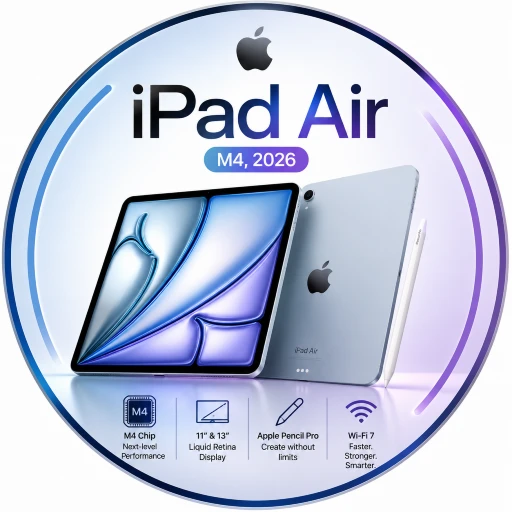
It does not look dramatically different from the previous iPad Air M4. It does not try to scream “new generation” with an aggressive design or an oversized camera system. Instead, Apple has taken a familiar tablet and upgraded the part that matters most when you actually use it every day: the experience underneath the screen.
The iPad Air (M4, 2026) combines Apple’s M4 chip, 12GB of unified memory, faster connectivity, iPadOS 26, Apple Intelligence features, improved cameras and support for Apple Pencil Pro and Magic Keyboard. It comes in both 11-inch and 13-inch versions, giving buyers the choice between portability and a larger workspace.
But here is the interesting part.
The iPad Air has always occupied an unusual position in Apple’s lineup. It is not the cheapest iPad, and it is not the most powerful iPad Pro. Instead, it sits right in the middle.
With the arrival of M4, however, that middle ground has become much more interesting.
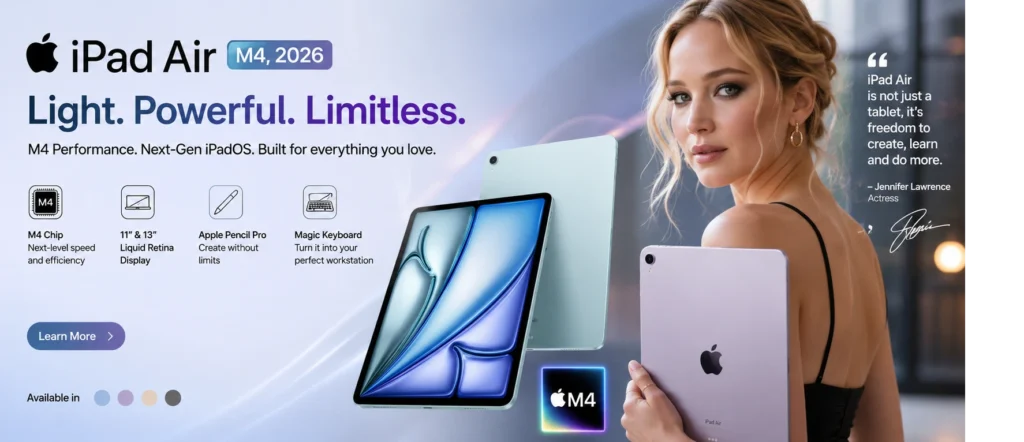
The Real Idea Behind the iPad Air M4
If you only look at the design, the 2026 iPad Air may not feel revolutionary.
If you use it for a few hours, the story changes.
Apple has equipped the new iPad Air with the M4 chip, featuring an 8-core CPU and 9-core GPU. Apple says the M4 model can be up to 30 percent faster than the previous M3 iPad Air and up to 2.3 times faster than the M1 iPad Air.
That performance matters because tablets are no longer being used only for watching Netflix or browsing social media.
People are editing videos.
Students are managing huge notes and PDFs.
Designers are drawing.
Freelancers are working with multiple apps.
Gamers expect console-like graphics.
And AI-powered applications are becoming increasingly important.
The iPad Air M4 is designed for this new reality.
Instead of being a tablet that can occasionally replace a laptop, it increasingly feels like a compact computer that happens to have a touchscreen.
Two Sizes, One Personality
Apple gives the iPad Air M4 two display sizes:
- 11-inch
- 13-inch
The 11-inch model is the obvious choice for people who travel frequently. It is easier to carry, easier to hold and feels more natural as a traditional tablet.
The 13-inch version is different.
It feels more like a portable workstation.
That extra screen real estate becomes particularly useful when working with documents, video timelines, spreadsheets, illustrations or multiple windows.
The physical thickness is just 6.1mm for both sizes. The 11-inch Wi-Fi version weighs 464 grams, while the 13-inch Wi-Fi version weighs 616 grams.
So the decision is not really about which one is better.
It is about what kind of user you are.
The Design: Familiar, But Still Premium
The iPad Air M4 keeps Apple’s clean aluminum tablet design.
There are four finishes:
Blue, Purple, Starlight and Space Gray.
There is no unnecessary visual drama here.
The design remains thin, minimal and modern.
The important thing is that the iPad Air does not feel like a cheaper version of an iPad Pro. It still has the premium construction that people expect from Apple’s tablet lineup.
And because the body is so thin, carrying the device around does not feel like carrying a small laptop.
That is one of the strongest arguments for choosing the Air.
M4 Is the Star of the Show
The biggest upgrade is obviously the processor.
The M4 chip is not simply about opening apps faster.
It changes the type of work the iPad Air can comfortably handle.
Apple’s M4 configuration in the iPad Air includes an 8-core CPU, a 9-core GPU and a 16-core Neural Engine. The tablet also comes with 12GB of unified memory and 120GB/s memory bandwidth.
For everyday users, this means apps feel extremely responsive.
For creators, the difference becomes more obvious.
Photo editing applications can handle demanding projects more comfortably. Video editing becomes more practical. Graphics-heavy games can take advantage of hardware-accelerated ray tracing and mesh shading.
Apple says the M4 iPad Air delivers more than four times faster 3D pro rendering with ray tracing compared with the fifth-generation iPad Air powered by M1.
That is a serious performance jump.
But Do You Really Need M4?
This is where things get interesting.
If your main activities are:
- YouTube
- Netflix
- web browsing
- social media
- reading
- casual gaming
- basic note-taking
then you probably will not need this much power.
The M4 chip is more useful when your tablet becomes a work machine.
Imagine editing a 4K video while jumping between a browser, Files, Notes and another creative application.
That is where the extra horsepower starts making sense.
The iPad Air M4 has been designed for people who want their tablet to remain useful for years rather than simply buying the fastest device for today’s basic tasks.
12GB Memory Makes a Bigger Difference Than It Sounds
Processor names get all the attention.
Memory usually does not.
But the iPad Air M4’s 12GB unified memory is one of the quiet upgrades that could make the device age better.
Apple says the new model has 50 percent more unified system memory than the previous generation.
More memory can help when applications become more demanding and users keep more tasks active.
It also matters for AI workloads.
The M4’s faster Neural Engine and higher memory bandwidth give the iPad Air more room for on-device intelligent features and demanding applications.
This is one of those specifications that may become more valuable over time.
iPadOS 26 Changes the Personality
The hardware would not be nearly as interesting without the software.
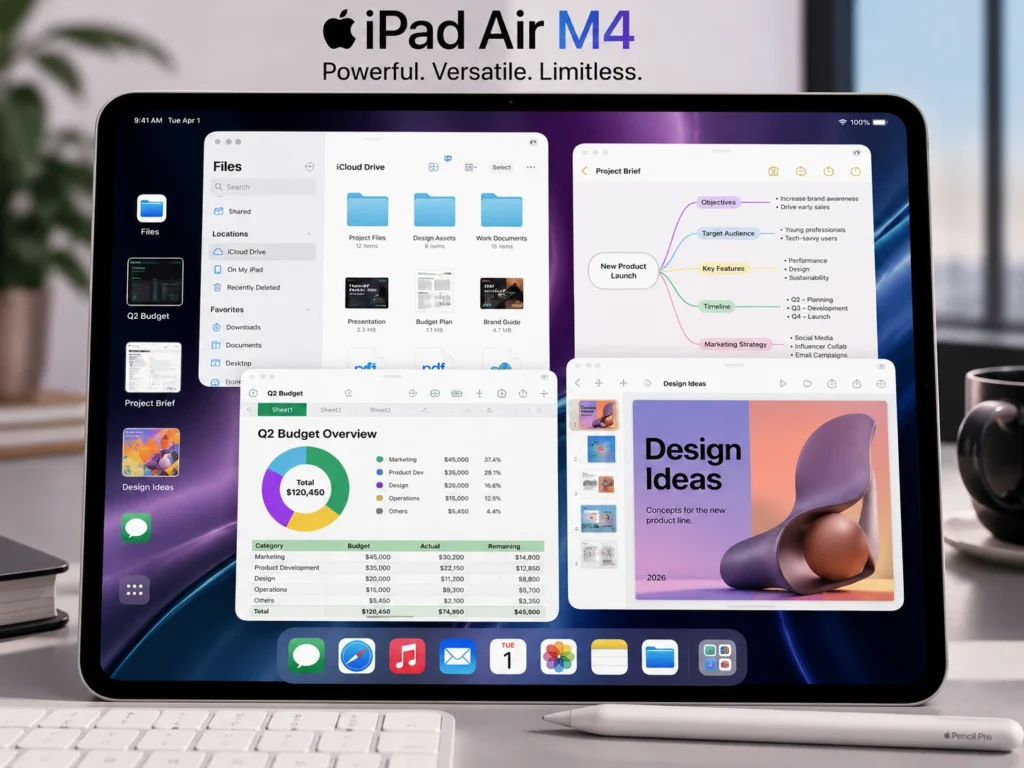
The iPad Air M4 arrives with iPadOS 26, which introduces a redesigned interface and a significantly more capable windowing system. Apple describes the new design as using Liquid Glass, while the new windowing system gives users more control over arranging, switching and managing applications.
This matters because multitasking has traditionally been one of the areas where tablets have struggled to feel like computers.
iPadOS 26 pushes the iPad further in that direction.
You can work with multiple applications, organize windows and manage files more naturally.
For students, that could mean having research material open beside Notes.
For writers, it could mean keeping a browser and document visible together.
For professionals, it can make the iPad feel considerably closer to a desktop-style workflow.
Apple Intelligence: The Other Big Story
M4 is also important because AI is becoming a much bigger part of everyday computing.
The iPad Air M4 supports Apple Intelligence capabilities built into the iPad experience. Apple says the M4’s 16-core Neural Engine is three times faster than the M1 generation for relevant workloads.
The practical idea is simple.
Instead of every AI task depending on a remote server, certain features can take advantage of Apple’s silicon directly on the device.
That can help with things such as writing assistance, image understanding, transcription-related workflows and AI-powered applications.
Availability can vary depending on language, region and feature support, so users should not assume that every Apple Intelligence feature is available everywhere.
Still, the direction is clear.
Apple is building the iPad Air to be an AI-capable computer rather than just a traditional tablet.
The Display: Bigger Isn’t Always Better
The 11-inch model is the portable option.
The 13-inch model is the productivity option.
Both use the familiar Liquid Retina display approach, but the real advantage comes from how much screen you have available for your work.
The 11-inch version makes more sense if you spend a lot of time holding the tablet.
The 13-inch version becomes more attractive when the iPad is placed on a desk or used with Magic Keyboard.
This is particularly important for creators.
A larger canvas makes photo editing, illustration and video editing more comfortable.
The same applies to multitasking.
Cameras: More Useful Than You Might Expect
Tablets are not usually purchased for photography.
The iPad Air M4 is no exception.
But its cameras are more capable than many users will actually need.
The rear camera is a 12MP Wide camera with an ƒ/1.8 aperture, autofocus with Focus Pixels, Smart HDR 4 and up to 5x digital zoom. It can record 4K video at up to 60 frames per second.
The front camera is arguably more important.
Apple uses a 12MP landscape-oriented Center Stage camera.
That placement makes much more sense when the tablet is being used horizontally for video calls.
Center Stage can keep the user properly framed during supported video calls, making the iPad Air a useful device for meetings, online classes and remote work.
The 13-Inch Model Feels Like a Portable Studio
There is a reason creative users may prefer the 13-inch model.
Pair it with Apple Pencil Pro and suddenly the large screen becomes a digital canvas.
Pair it with Magic Keyboard and it becomes a compact productivity machine.
Apple Pencil Pro adds features such as squeeze and barrel roll, while also supporting Find My.
For artists, designers and students, that combination can be extremely appealing.
The important thing is that the accessories do not fundamentally change the iPad.
They reveal what the iPad can already do.
Magic Keyboard Turns the Air Into Something Else
The Magic Keyboard is where the iPad Air starts feeling more like a laptop.
Apple’s keyboard accessory includes a built-in trackpad and a 14-key function row. It attaches magnetically and connects through the Smart Connector, while also providing a USB-C port for charging.
This setup can be useful for:
- Writing articles
- Research
- Business documents
- Coding-related workflows
- Presentations
- Spreadsheet work
- Long-form typing
But there is one thing buyers should remember.
The keyboard is an additional purchase.
That means the total cost can become significantly higher than the starting iPad Air price.
Storage: 128GB Is Finally a Sensible Starting Point
The iPad Air M4 is available in:
128GB, 256GB, 512GB and 1TB.
For normal users, 128GB can be enough.
If you download lots of games, keep large video files or work with professional creative projects, 256GB or more becomes much more attractive.
For video creators, 512GB or 1TB may make sense.
The right storage depends less on the processor and more on how much content you intend to keep locally.
Connectivity Gets a Serious Upgrade
The new iPad Air also receives Apple’s N1 wireless networking chip.
It supports Wi-Fi 7, Bluetooth 6 and Thread.
Cellular models add Apple’s C1X modem and support 5G connectivity.
Apple says C1X can deliver up to 50 percent faster cellular data performance than the previous generation in Apple’s comparisons, while using up to 30 percent less modem energy for active cellular users.
That makes the cellular model particularly interesting for people who travel frequently.
Instead of constantly searching for Wi-Fi, you can use a supported cellular plan.
Battery: Still About All-Day Use
The iPad Air M4 is not trying to win a battery-capacity competition.
Apple rates both models for up to 10 hours of web surfing on Wi-Fi or video playback.
The 11-inch model has a 28.93-watt-hour battery, while the 13-inch model has a 36.59-watt-hour battery.
Real-world battery life will depend on brightness, applications, network conditions and workload.
Still, the key message is simple:
This is designed to last through a typical work or study day.
The USB-C Port Is More Important Than It Looks
The USB-C port supports charging, DisplayPort and USB 3 transfer speeds of up to 10Gb/s.
That opens up useful possibilities.
You can connect external displays.
You can transfer files.
You can attach compatible accessories.
And with support for an external display up to 6K at 60Hz, the iPad Air can become part of a much larger workstation setup.
For a tablet, that is a serious capability.
iPad Air M4 vs iPad Pro: The Real Question
The obvious question is:
Why not buy an iPad Pro?
The answer is value.
The iPad Air M4 already has Apple’s M4 chip.
It already has 12GB unified memory.
It supports Apple Pencil Pro.
It supports Magic Keyboard.
It supports advanced connectivity.
It runs iPadOS 26.
It can handle demanding creative and professional applications.
So the iPad Pro becomes more attractive when you specifically need its higher-end display technology, additional professional features or other premium capabilities.
For many users, the Air is the more sensible purchase.
It gives you much of the performance without automatically forcing you into the most expensive tier.
Price: The Air’s Biggest Advantage
Apple launched the 11-inch iPad Air M4 at $599 for Wi-Fi and the 13-inch version at $799 for Wi-Fi in the United States. Wi-Fi + Cellular starts at $749 for the 11-inch model and $949 for the 13-inch model.
That starting price is important.
Because the M4 chip is normally associated with Apple’s higher-performance products, putting it into the Air makes the device much more interesting.
Of course, local pricing can vary significantly by country, taxes, storage configuration and retailer.
For Pakistani buyers especially, the final market price may differ considerably from Apple’s U.S. starting price.
Who Should Buy the iPad Air M4?
The iPad Air M4 makes the most sense for someone who wants one device to do many jobs.
Students
The combination of Apple Pencil support, strong battery life, large displays and powerful performance makes the iPad Air a strong study machine.
PDFs, notes, presentations, research and video lectures can all live on the same device.
Creators
Video editors, digital artists, photographers and content creators can take advantage of the M4 processor and Apple Pencil Pro.
The 13-inch version is particularly attractive here.
Professionals
With Magic Keyboard and iPadOS 26, the iPad Air can handle a surprisingly large amount of office work.
It is especially useful for people who travel frequently.
Gamers
The M4 GPU, hardware-accelerated ray tracing and large display make the iPad Air M4 an interesting gaming device.
It is still a tablet first, but the hardware is powerful enough to support demanding games.
Who Should Probably Skip It?
Not everyone needs an M4 iPad.
If you mainly want a device for:
- YouTube
- Netflix
- Web browsing
- Basic reading
then you may be spending money on performance you rarely use.
The iPad Air M4 makes the most sense when you actually plan to take advantage of its power.
11-Inch or 13-Inch?
Here is the simplest way to decide.
Choose 11-inch if:
You travel frequently.
You want a lightweight tablet.
You mostly hold the iPad in your hands.
You value portability.
Choose 13-inch if:
You work at a desk.
You multitask frequently.
You edit photos or videos.
You want a larger canvas for Apple Pencil.
You plan to use Magic Keyboard.
For most productivity-focused users, the 13-inch version is the more exciting option.
For travelers and students, the 11-inch model may be the smarter choice.
The Verdict: Is iPad Air M4 Worth Buying in 2026?
The iPad Air M4 is an interesting product because Apple has not tried to reinvent the tablet.
Instead, it has taken an already successful formula and pushed the performance far beyond what most ordinary tablet users need.
The M4 chip gives it serious processing power.
The 12GB unified memory helps prepare it for demanding applications and AI workloads.
iPadOS 26 improves multitasking.
Apple Intelligence brings more intelligent features into the experience.
Wi-Fi 7 and the N1 chip improve connectivity.
The 11-inch and 13-inch options make it easier to choose between portability and productivity.
And support for Apple Pencil Pro and Magic Keyboard means the device can transform depending on how you use it.
That is ultimately what makes the iPad Air (M4, 2026) so appealing.
It is not simply an iPad for watching videos.
It is not quite an iPad Pro replacement for everyone either.
It is something in between — a powerful, flexible computer that can behave like a tablet when you want simplicity and like a workstation when you need productivity.
Final Rating
| Category | Rating |
|---|---|
| Performance | ⭐⭐⭐⭐⭐ |
| Design | ⭐⭐⭐⭐⭐ |
| Display Experience | ⭐⭐⭐⭐½ |
| Cameras | ⭐⭐⭐⭐ |
| Battery | ⭐⭐⭐⭐½ |
| AI & Smart Features | ⭐⭐⭐⭐⭐ |
| Accessories | ⭐⭐⭐⭐⭐ |
| Portability | ⭐⭐⭐⭐⭐ |
| Value | ⭐⭐⭐⭐½ |
| Overall | 9.3/10 |
Final Word
The iPad Air M4 is one of those products that becomes more impressive the longer you use it.
Its design may not immediately surprise you.
Its cameras may not be its main selling point.
And its display does not attempt to compete with every premium feature found in the iPad Pro.
But put the M4 chip, 12GB memory, iPadOS 26, Apple Pencil Pro, Magic Keyboard and fast connectivity together, and the result is a tablet with considerably more potential than its “Air” name suggests.
For students, creators, professionals and power users who want a portable machine without stepping all the way into the iPad Pro category, the iPad Air M4 (2026) is a remarkably compelling choice.
In short: the Air is no longer just the middle iPad. With M4, it has become one of Apple’s most balanced computers. For more accessories, visit the Devixora.com website.

 with M4 performance, iPadOS 26, Apple Intelligence, Magic Keyboard, and stunning 11-inch & 13-inch displays.)