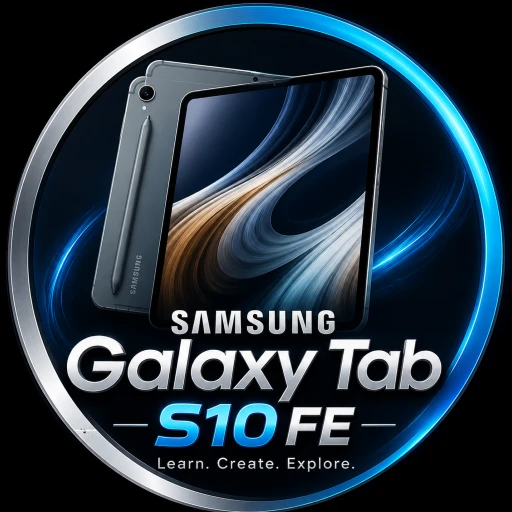
The Samsung Galaxy Tab S10 FE is one of those tablets that proves you do not always need an ultra-premium flagship to get a genuinely powerful and useful Android tablet experience. Samsung has taken the successful FE formula and improved it with a faster processor, a smoother 90Hz display, S Pen support, better cameras, a large battery, IP68 protection, and useful Galaxy AI features.

For students, professionals, content creators, casual gamers, and people who simply want a large-screen device for entertainment, the Galaxy Tab S10 FE has a lot going for it. It sits below Samsung’s flagship Tab S10 series, but it still carries many features that make the premium tablets attractive.
The real question is simple: Is the Samsung Galaxy Tab S10 FE+ worth buying?
After looking closely at its hardware, display, performance, battery, S Pen experience, cameras, software, and everyday usability, the answer is surprisingly positive. It may not deliver a flagship AMOLED display or the extreme performance of Samsung’s top-end tablets, but it offers a very balanced package for its class. In the Devixora.com article you will deeply get information about the Samsung Galaxy Tab S10 FE.
Samsung Galaxy Tab S10 FE Specifications at a Glance
| Feature | Samsung Galaxy Tab S10 FE |
|---|---|
| Display | 10.9-inch LCD |
| Resolution | 2304 × 1440 |
| Refresh Rate | Up to 90Hz |
| Processor | Exynos 1580 |
| RAM | 8GB / 12GB |
| Storage | 128GB / 256GB |
| microSD | Up to 2TB |
| Rear Camera | 13MP |
| Front Camera | 12MP Ultra-Wide |
| Battery | 8,000mAh |
| Charging | Up to 45W |
| S Pen | Included |
| Connectivity | Wi-Fi 6 / 5G variants |
| Protection | IP68 |
| Weight | Around 497g |
| Operating System | Android |
| USB | USB Type-C |
Samsung officially lists the Tab S10 FE with a 10.9-inch 2304 × 1440 display, Exynos 1580 processor, up to 12GB RAM and 256GB internal storage, plus microSD expansion. The company also confirms an 8,000mAh battery, 13MP rear camera, 12MP front camera and included S Pen.
Design: Slim, Premium and Easy to Carry
Samsung has not tried to make the Galaxy Tab S10 FE+ look cheap simply because it belongs to the FE family. The tablet has a clean and modern design that feels much closer to Samsung’s premium tablet lineup than its price category might suggest.
At around 6mm thick and roughly 497 grams, the standard Tab S10 FE is relatively easy to carry.
That makes a major difference when you are using it for long periods. Whether you are reading documents, watching YouTube videos, taking handwritten notes or browsing the web, the tablet does not feel unnecessarily bulky.
The minimalist design also makes it suitable for professional environments. Put it next to a laptop during a meeting and it looks perfectly at home.
Samsung has also focused heavily on durability. The Tab S10 FE comes with an IP68 water and dust resistance rating, something that remains unusual among tablets in this segment. Samsung states that the tablet and included S Pen are rated for laboratory conditions involving freshwater immersion up to 1.5 meters for up to 30 minutes.
Of course, IP68 should not be treated as an invitation to deliberately take the tablet swimming. But accidental splashes, dust and everyday environmental exposure are less worrying.
Display: 90Hz Makes a Big Difference
One of the most important parts of any tablet is its screen, and Samsung has made a smart decision by giving the Galaxy Tab S10 FE a 90Hz refresh rate.
The 10.9-inch display uses an LCD panel with a 2304 × 1440 resolution. Samsung also highlights Vision Booster technology and up to 800 nits in High Brightness Mode for improved outdoor visibility.
The 90Hz refresh rate makes scrolling feel smoother than a traditional 60Hz tablet. Menus move more naturally, web pages feel more responsive, and compatible games can appear smoother.
For watching movies and TV shows, the large 10.9-inch screen provides plenty of space. For students, the display is also large enough to keep lecture notes, PDFs and research material visible without constantly zooming in and out.
However, there is one important compromise.
The Galaxy Tab S10 FE uses an LCD rather than the Dynamic AMOLED 2X panel found on Samsung’s more expensive flagship tablets. That means you should not expect the same deep blacks, contrast and HDR impact that you get from Samsung’s premium AMOLED models.
Still, for everyday productivity, education, entertainment and general browsing, the display is more than capable.
Performance: Exynos 1580 Brings a Serious Upgrade
The biggest performance story is the Exynos 1580 processor.
Samsung has equipped the Galaxy Tab S10 FE with an octa-core Exynos 1580 platform, with CPU speeds listed at up to 2.9GHz depending on the core configuration.
This is important because the FE lineup is supposed to provide a premium experience without flagship pricing. The Exynos 1580 gives the tablet enough power for common demanding tasks such as multitasking, productivity applications, media consumption and many games.
You can switch between applications, work with split-screen layouts, browse with multiple tabs and use Samsung’s productivity features without making the tablet feel like a basic entry-level device.
For students, this performance is more than enough for note-taking, online classes, Microsoft Office, Google Docs, research, presentations and video calls.
For professionals, the tablet can function as a secondary productivity machine, especially when paired with a keyboard accessory.
Gamers should also find the performance respectable. It is not designed to compete directly with the fastest gaming tablets on the market, but casual and moderately demanding gaming is well within its target audience.
The important thing is that Samsung has avoided making the Tab S10 FE feel underpowered.
S Pen: One of the Best Reasons to Buy It
The included S Pen is arguably one of the Galaxy Tab S10 FE’s biggest advantages.
Many tablets require users to purchase a stylus separately, but Samsung includes an S Pen with the Tab S10 FE.
That immediately makes the tablet more attractive to students and people who take handwritten notes.
You can write directly on documents, annotate PDFs, draw sketches, make handwritten notes or use the tablet as a digital notebook.
Samsung has also added intelligent handwriting features. Handwriting Assist can help straighten and organize handwritten notes, while the tablet’s Math Solver functionality can work with handwritten mathematical expressions.
This is where the Galaxy Tab S10 FE starts feeling more than just a large Android screen.
For a university student, for example, you could keep lecture notes, textbooks, assignments and handwritten diagrams on a single device. The ability to write directly on the display can make the tablet considerably more useful than a traditional laptop for certain academic workflows.
Galaxy AI and Smart Features
Samsung has also brought several intelligent features into the Tab S10 FE experience.
One of the most useful is Circle to Search with Google, which allows users to search for information by circling something on the screen. Samsung also highlights features such as Note Assist and other AI-powered productivity tools.
For example, imagine you are reading an article and see a product or unfamiliar object. Instead of manually typing its name into a search engine, you can use Circle to Search and quickly investigate it.
The S Pen makes these interactions even more natural.
Samsung has also introduced an AI shortcut key with its Book Cover Keyboard accessory, allowing users to access an AI assistant quickly. The keyboard is sold separately.
These features are not simply marketing extras. They can genuinely save time when the tablet is being used for work or study.
Camera: Better Than You Expect From a Tablet
Nobody is buying a tablet primarily for photography, but Samsung has still improved the camera system.
The Galaxy Tab S10 FE features a 13MP rear camera, which is an upgrade over the 8MP rear camera used on the previous Galaxy Tab S9 FE.
The front camera is a 12MP ultra-wide camera, which is particularly useful for video calls.
The rear camera can also record 4K video at 30fps according to Samsung’s specifications.
For everyday tablet photography, document scanning, quick photos and video calls, the camera setup is perfectly respectable.
The ultra-wide front camera is arguably more important because tablets are often used for video conferencing and online classes.
Students can use it for virtual lectures, while professionals can use it for meetings and remote collaboration.
Battery Life: Built for Long Sessions
Samsung has equipped the Galaxy Tab S10 FE with an 8,000mAh battery, and the company rates it for up to 20 hours of video playback under its testing conditions.
Real-world battery life will naturally depend on brightness, network connectivity, applications and usage patterns, but the large battery gives the tablet plenty of endurance.
For someone who uses the tablet for several hours every day, this is a major advantage.
You can watch videos during a long journey, attend online classes, browse the internet, take notes and work on documents without constantly searching for a charger.
The tablet also supports up to 45W charging, giving users a faster way to replenish the battery compared with basic charging systems.
The exact charging experience can vary depending on the charger and region, but 45W support is a welcome feature.
Storage and microSD Expansion
Storage flexibility is another strong point.
The Galaxy Tab S10 FE comes in configurations including 128GB and 256GB internal storage, while Samsung supports microSD expansion of up to 2TB.
That is particularly useful for users who download large files, movies, games, documents or creative projects.
Instead of paying a premium for huge internal storage, users can potentially expand storage with a compatible microSD card.
For students and professionals who store large PDF libraries, presentations and videos, this can be extremely convenient.
Connectivity: Wi-Fi 6 and 5G Options
The Galaxy Tab S10 FE is available with different connectivity configurations depending on the market.
Samsung lists Wi-Fi connectivity and 5G variants, giving users the flexibility to choose between a Wi-Fi-only tablet and a model designed for cellular connectivity.
The 5G version is particularly attractive for people who travel frequently.
Instead of depending entirely on public Wi-Fi or a phone hotspot, you can connect the tablet directly to a cellular network where supported.
That makes the device more practical for commuters, business travelers and students who need internet access outside the home or campus.
Software Experience
Samsung’s software is another major advantage of the Galaxy Tab S10 FE.
The tablet is designed to work naturally with the broader Galaxy ecosystem. If you already use Samsung smartphones, Galaxy Buds or other Galaxy devices, features such as Quick Share and cross-device functionality can make moving between devices easier. Samsung also supports features for calls, texts and second-screen workflows within its ecosystem.
This is one area where Samsung has an advantage over many Android tablet competitors.
The tablet does not feel like an isolated device. It can become part of a larger ecosystem.
Samsung also lists creative applications such as LumaFusion, Goodnotes, Clip Studio Paint, Noteshelf, Sketchbook and Picsart among the apps that can enhance the Tab S10 FE experience.
For creative users, that opens the door to video editing, drawing, note-taking and image editing.
Is the Galaxy Tab S10 FE Good for Students?
Absolutely.
In fact, students may be one of the biggest target audiences for this tablet.
The combination of a large 10.9-inch display, S Pen, long battery life, expandable storage and productivity features makes it extremely practical for education.
A student can use it to:
- Take handwritten lecture notes
- Annotate PDFs
- Read textbooks
- Attend online classes
- Watch educational videos
- Research online
- Create presentations
- Write assignments
- Scan documents
- Organize study material
- Use AI-assisted features
The S Pen is particularly important here because it eliminates the need to carry multiple notebooks for different subjects.
Is It Good for Gaming?
The Galaxy Tab S10 FE can handle gaming, but expectations should remain realistic.
The Exynos 1580 provides enough performance for a wide range of games, and the 90Hz display can make supported games feel smoother.
However, serious gamers looking for the highest possible graphics settings and sustained flagship-level performance may want a more powerful tablet.
For casual gaming, racing games, strategy games, multiplayer titles and many popular Android games, the Tab S10 FE should be a very capable entertainment device.
The large display also gives games more room compared with a smartphone.
Is It Good for Watching Movies and YouTube?
Yes.
The 10.9-inch display is one of the tablet’s biggest entertainment advantages.
Whether you are watching Netflix, YouTube, movies or sports, the larger screen creates a much more comfortable viewing experience than a smartphone.
The 90Hz refresh rate also makes general navigation feel smoother.
Samsung’s dual-speaker setup adds to the entertainment experience, although users who want a more cinematic setup may still prefer headphones or external speakers. Samsung lists dual speakers as part of the Tab S10 FE specifications.
Galaxy Tab S10 FE vs Premium Samsung Tablets
The biggest compromise is easy to identify: the Tab S10 FE is not a flagship tablet.
Samsung’s more expensive Galaxy Tab S10 models offer premium AMOLED displays, higher-end hardware and additional flagship features.
But that does not automatically make the FE a bad choice.
In fact, the Tab S10 FE makes sense precisely because it gives users many important Samsung tablet features without requiring them to spend flagship-level money.
If you primarily need:
- A good large display
- S Pen support
- Strong battery life
- Good everyday performance
- Samsung software
- AI features
- Expandable storage
- Water and dust resistance
then the FE model covers a lot of ground.
What Makes the Galaxy Tab S10 FE Stand Out?
Several features separate the Tab S10 FE from ordinary mid-range tablets.
Included S Pen
This is perhaps the biggest advantage. You get a capable stylus without needing to purchase a separate premium accessory.
IP68 Protection
The combination of tablet and S Pen support for IP68 protection is unusual in this category.
90Hz Display
The 90Hz refresh rate makes the interface feel smoother and more modern.
Exynos 1580
The processor provides a significant amount of performance for everyday productivity and entertainment.
Expandable Storage
Support for microSD cards up to 2TB gives users substantial flexibility.
Long Battery Life
The 8,000mAh battery and Samsung’s claimed video playback endurance make it suitable for long sessions.
What Are the Weak Points?
The Galaxy Tab S10 FE is not perfect.
The biggest limitation is the LCD display. Users who have experienced Samsung’s premium Dynamic AMOLED 2X tablets will notice the difference.
The tablet is also not designed to replace a high-end laptop for every professional workflow. While it can handle productivity very well, specialized desktop applications may still require a Windows or macOS computer.
Another consideration is accessories. While the S Pen is included, a keyboard cover is sold separately, so turning the tablet into a laptop-style workstation can increase the total cost. Samsung confirms that the Book Cover Keyboard is an optional accessory.
Still, these compromises are understandable considering the FE positioning.
Pros and Cons
Pros
- 10.9-inch high-resolution display
- Smooth 90Hz refresh rate
- Exynos 1580 processor
- Included S Pen
- IP68 water and dust resistance
- 8,000mAh battery
- Up to 45W charging support
- 13MP rear camera
- 12MP ultra-wide front camera
- microSD support
- Useful Galaxy AI features
- Strong Samsung ecosystem
- 5G option available
Cons
- LCD instead of AMOLED
- Keyboard accessory costs extra
- Not intended to match flagship gaming performance
- USB 2.0 limits wired transfer capabilities
- Some premium features remain exclusive to higher-end Galaxy Tab models
Samsung Galaxy Tab S10 FE: Who Should Buy It?
The Galaxy Tab S10 FE is a particularly strong choice for people who want a tablet that can do a little bit of everything.
Students will appreciate the S Pen, large display, battery life and note-taking features.
Professionals can use it for meetings, email, presentations, document editing and video calls.
Content creators can take advantage of the large screen and compatible creative applications.
Entertainment users get a comfortable display for movies, YouTube and social media.
Samsung ecosystem users can benefit from Quick Share and cross-device features.
However, people who specifically want the best possible display, maximum gaming performance or a true laptop replacement should look higher in Samsung’s lineup.
Final Verdict
The Samsung Galaxy Tab S10 FE is a well-balanced tablet that focuses on the features that actually matter in everyday use.
It does not try to compete with Samsung’s most expensive tablets in every category. Instead, it delivers a smarter combination of performance, portability, durability and productivity.
The Exynos 1580 gives it the power needed for modern applications, while the 90Hz 10.9-inch display provides a smooth and spacious viewing experience. The included S Pen turns it into a genuinely useful digital notebook, and the 8,000mAh battery gives it the endurance needed for long work or entertainment sessions.
Then there is IP68 protection, expandable storage, 5G availability, Galaxy AI features and Samsung’s broader ecosystem.
The biggest compromise is the LCD panel. If you absolutely need AMOLED quality, the FE may not be the tablet for you. But if your priority is getting a powerful, versatile and durable Samsung tablet without stepping into the highest flagship tier, the Galaxy Tab S10 FE makes a compelling case.
Overall, the Samsung Galaxy Tab S10 FE is one of the most balanced Android tablets for students, productivity users and everyday entertainment. It delivers the Samsung experience people want while keeping the focus on practical features rather than unnecessary luxury.